



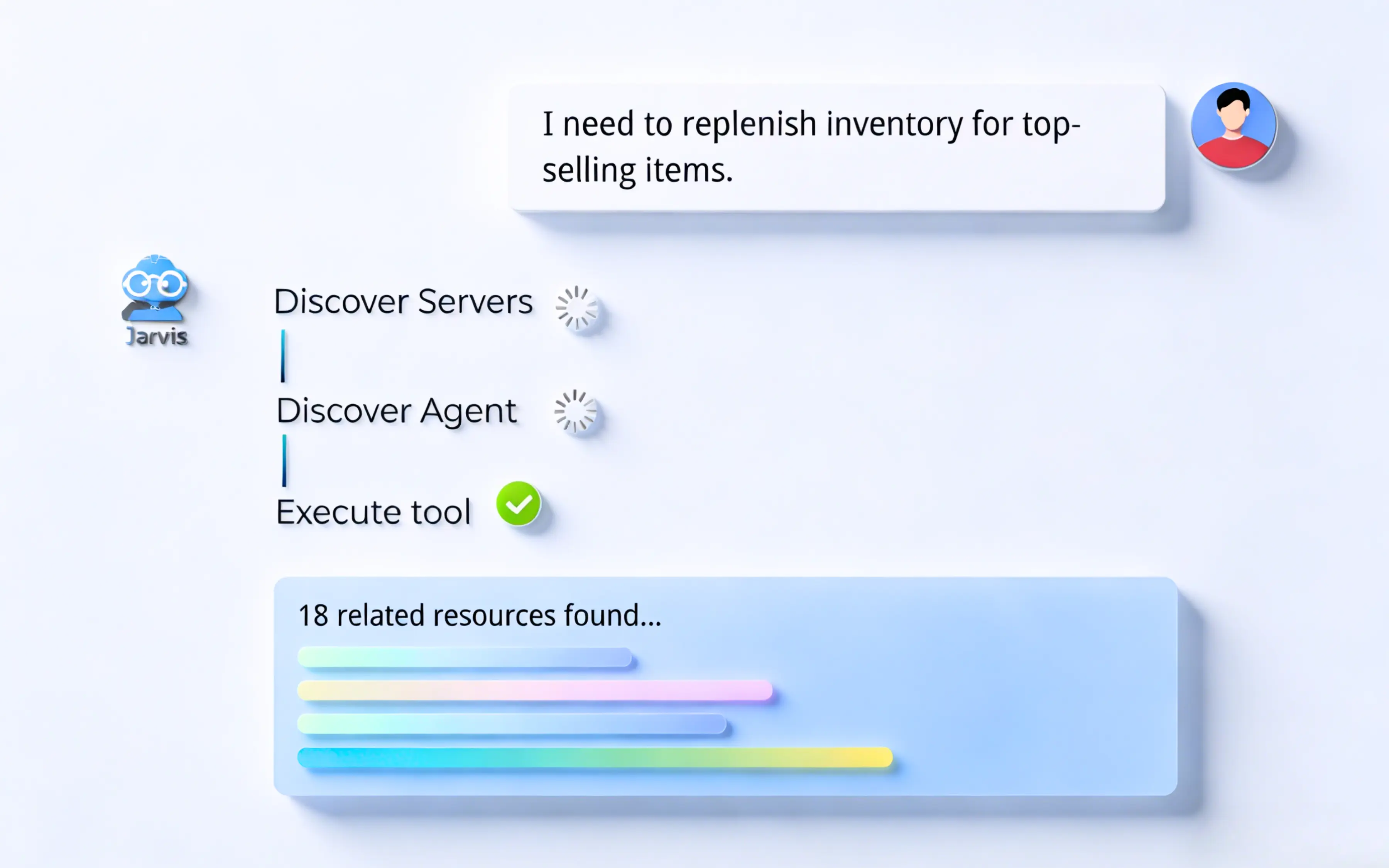
Discover and manage resources
Find approved MCP servers and agents and see who owns each. MCP records live in the MCP Registry, agent records in the Agent Registry.
Jarvis Registry catalogs MCP servers, A2A agents, and private skills, routes runtime access through the MCP Gateway and Agent Gateway, and applies one set of identity, permission, and observability controls to every request.
One registry for MCP servers, agents, and skills, with gateways for runtime access. Governed, observable, and always discoverable.
Catalogs what your teams can use, routes every runtime call through a gateway, and applies one set of controls to all of it.





Start with one copilot, one enterprise tool, and two user roles. Use that setup to evaluate how resources are managed, how access is enforced, how skills reach users, and how workflows run under the same controls.
Find approved MCP servers and agents and see who owns each. MCP records live in the MCP Registry, agent records in the Agent Registry.
Listed is not allowed. Check how the MCP Gateway and Agent Gateway enforce your identity rules on each request.
Publish a private skill and install it in Claude Code, Codex, or Copilot. Users get only the skills they are allowed. See Skill Gateway.
Chain a registered agent and tool, and confirm every step runs under the same policy. See Agent Flow.
Compare the gateway and registry control points, review Jarvis Registry, Obot, and Gravitee, or explore the enterprise MCP registry architecture before your demo.
Six capabilities, one control plane. Each links to its own page for detail.
See Jarvis Registry running against your own identity provider and tools.
Jarvis Registry catalogs MCP servers, A2A agents, and private skills, with gateways for runtime access and shared identity, policy, and observability controls. These seven rows cover what platform owners check first.
| Capability | What the registry provides |
|---|---|
| Resources | MCP servers, A2A agents, and private skills in one registry. |
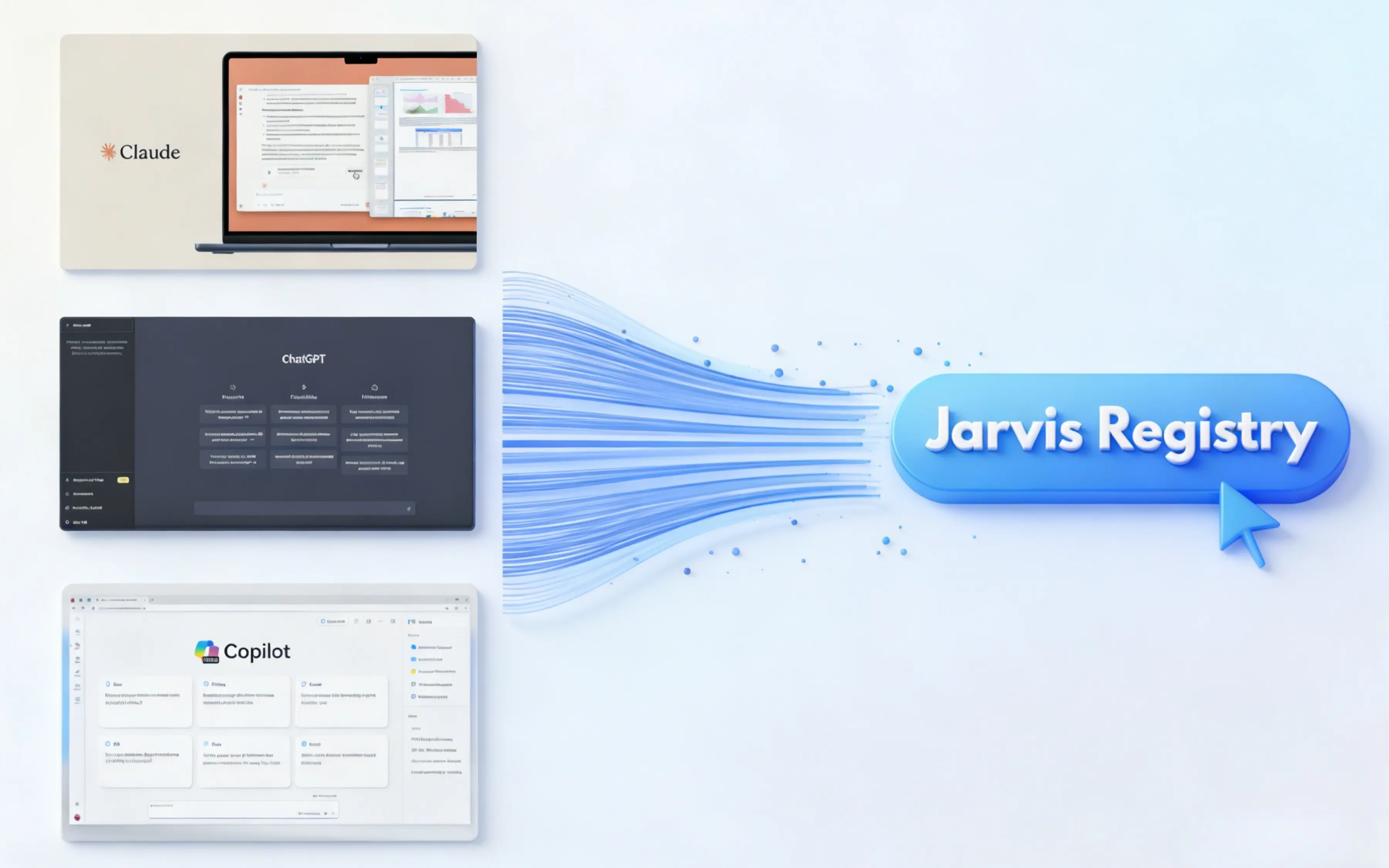
| Client support | Any MCP-compatible client, including Microsoft Copilot, GitHub Copilot, Claude Desktop, ChatGPT, VS Code, and Cursor. |
| Protocols | MCP for tool discovery and calls, A2A for agent-to-agent calls, and OAuth 2.0 for delegated authorization. |
| Identity model | Azure Entra ID authentication with RBAC, plus ACL entries that limit each tool and agent to named teams. |
| Federation | Existing AWS and Azure agents are registered where they run: one catalog across two clouds, no redeployment. |
| Egress control | Outbound calls are governed with OAuth, so a copilot reaches only the systems its policy allows. |
| Audit trail | Tool calls, agent hops, and routing decisions are logged in your environment, with optional forwarding to your SIEM. |
The registry is an implementation of published protocols rather than a proprietary integration layer, and that is checkable. Each row below names the specification or the count behind the capability it describes.
| Specification | Value |
|---|---|
| Client compatibility | Any MCP client; 6 named — Microsoft Copilot, GitHub Copilot, ChatGPT, Claude Desktop, VS Code, Cursor |
| Tool protocol | Model Context Protocol (MCP) over JSON-RPC 2.0, published November 2024 |
| Agent protocol | A2A invocation with per-agent OAuth 2.0 client credentials |
| Authorization | OAuth 2.0 (RFC 6749), Bearer usage per RFC 6750 |
| Egress scoping | Resource Indicators for OAuth 2.0 (RFC 8707) |
| Public-client flows | PKCE (RFC 7636) |
| Identity federation | OpenID Connect Core 1.0 and SAML 2.0 via Azure EntraID |
| Access model | RBAC plus per-tool ACL, evaluated on every invocation |
| Federated clouds | 2 — AWS AgentCore and Azure AI Foundry, 0 redeploys required |
| Integration surface | 1 endpoint for every client instead of 1 integration per server |
| Transport security | TLS 1.2 minimum, TLS 1.3 preferred (RFC 8446) |
| Telemetry | OpenTelemetry OTLP — 1 span per tool call and agent hop |
| Denial responses | HTTP 401 unauthenticated, HTTP 403 policy denial, HTTP 429 rate limited |
| Zero-trust reference | NIST SP 800-207 (2020) |
| Runtimes | 3 managed Kubernetes services — Amazon EKS, Azure AKS, Google GKE |
| Customer rating | 5 out of 5 from 1 verified AWS Marketplace review |
A 2-minute walkthrough of the problem the registry solves: copilots that cannot reach internal context, and the governed layer that connects them to MCP servers, knowledge bases, and agents.
Onboarding is a configuration exercise rather than a migration, because the gateway fronts the MCP servers and agents you already operate. These 5 steps go from an empty catalog to a governed copilot integration.
Deploy into your cluster. Install on an existing Kubernetes cluster — Amazon EKS, Azure AKS, or Google GKE — inside your own account.
Connect identity first. Bind Azure EntraID and map existing groups to roles before a single tool is exposed to anyone.
Register what already exists. Point the catalog at running MCP servers and cloud agents; they keep their current runtime and release cycle.
Write the access policy. Define per-tool and per-agent ACL entries so each team sees only the catalog entries its work requires.
Attach the copilots. Point Microsoft Copilot, Claude, VS Code, or Cursor at the endpoint and verify the audit trail captures each call.
The catalog is what turns tool sprawl into something governable, and the single endpoint is what stops every copilot integration from becoming its own project.
Short answers here. Implementation detail lives in the open-source docs at jarvisregistry.com.
Agent Registry stores each agent’s catalog and lifecycle record. Agent Gateway handles the runtime request when one agent or client calls another.
No. Agent skills are metadata an A2A agent advertises in its AgentCard. Private skills are reusable skill files your team versions, controls, and distributes to coding assistants.
No. Registration is configuration only: servers stay where they are, keep their runtime, and keep their existing release process.
What changes is the path clients take — instead of each copilot integrating with each server, every client connects to one governed endpoint.
Azure Entra ID authenticates, RBAC sets the role, and per-tool ACLs scope access on every invocation.
Explore the gateways, resource catalogs, and workflows that share the Registry’s controls.
ASCENDING is an AWS Advanced Tier Services Partner with the AWS Generative AI Competency, and builds Jarvis as licensed software that runs inside your own cloud account. Reading the underlying specifications is the fastest way to judge how portable a deployment is.